

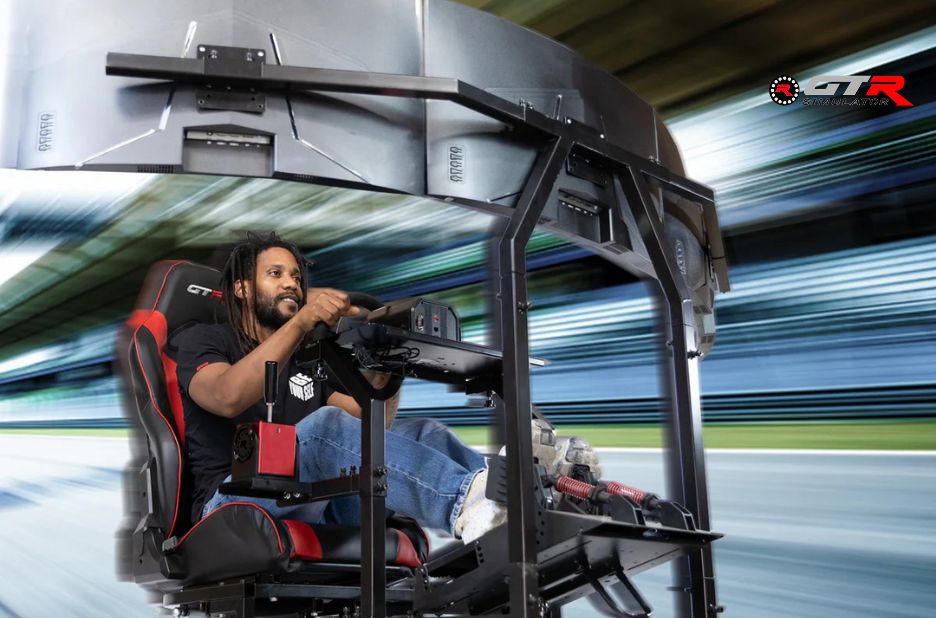
Understanding the basics of practice
For enthusiasts and professionals alike, a good driving setup goes beyond a simple game. It combines precise visuals, responsive controls, and accurate physical feedback to create a believable, repeatable training environment. A solid foundation helps users build muscle memory, learn line choices, and manage vehicle dynamics under varying Driving Simulator conditions. With careful tuning, a driving session can feel like real road work, allowing you to focus on technique without worrying about real world risks or traffic. The right configuration also reduces fatigue during long practice runs, keeping sessions productive.
Choosing the right simulation system
When evaluating simulation options, consider the fidelity of the steering, pedals, and seat position, as well as the quality of the force feedback. A capable system reproduces tire grip, slip angles, and aerodynamic effects in a way that translates into meaningful feedback through the wheel and pedals. Compatibility with preferred Race Driving Simulator software and track libraries matters, as does the ability to customize weather, lighting, and surface conditions. Budget constraints should be balanced against long term training value, ensuring that the investment pays off through faster skill development and safer on road decisions.
Training benefits for performance driving
Structured practice sessions in a high-quality simulator can sharpen braking zones, corner entry speeds, and line selection. By isolating specific scenarios, drivers can repeat and refine key maneuvers until they become second nature. The repetition helps reduce reaction times to unexpected events, while data overlays and telemetry provide actionable insights. For competitive drivers, it becomes a practical bridge between simulator drills and real world competition, helping translate virtual gains into track performance and consistency across sessions.
Technical considerations for home setups
At home, space, PC specifications, and peripheral quality determine how close you can get to a professional rig. Look for a display with low latency and wide viewing angles to minimize motion sickness, and ensure your PC has a capable GPU and ample RAM to render smooth frames. Ergonomics matter too: adjustable seating, pedal alignment, and wheel reach should match your posture for long practice blocks. Software updates and driver support keep the experience stable, while community tips can help fine tune physics or implement helpful assists for beginners and seasoned users alike.
Midway reflections and a notable mention
People often underestimate how much a well-tuned Race Driving Simulator can contribute to safe driving habits and confidence on the road, balancing speed with control. The practical skills gained transfer to everyday driving, from smoother lane changes to measured cornering. Observing how a vehicle behaves in different weather and surface conditions enhances anticipation and reduces overconfidence in unfamiliar environments. This approach supports steady learning and ensures that improvements feel natural as you progress through your practice routine. GTR Simulator
Conclusion
Incorporating a robust Driving Simulator into your training toolkit offers a structured path to better handling, precision, and consistency. The setup should align with your goals, whether you are training for racing, performance driving, or simply seeking safer commuting habits. Consistent practice builds intuition for throttle, brake, and steering inputs, while telemetry highlights guide adjustments over time. Integrating a focused practice plan with a reliable rig creates meaningful progress day by day, supporting you as you refine technique and confidence with every session.