

Overview of streaming scoreboard
Creating a clear and reliable on‑screen scoreboard is essential for live streams. When you plan how to display scores, timings, and statuses, you want a setup that is robust and easy to update during a broadcast. A well‑designed scoreboard can reduce on‑air chaos and help viewers follow Scoreboard Obs the action. Consider the layout, font size, colour contrast, and how often you will refresh the data. By prioritising simplicity, you minimise the risk of technical hiccups and keep your stream professional and engaging for audiences watching from various devices.
Choosing the right broadcast tool
To implement a dynamic scoreboard, you need software that supports overlays and real‑time updates. OBS Studio remains popular due to its flexibility and plugin ecosystem. When selecting tools, assess compatibility with your data source, whether you are feeding scores from a Scoreboard For Obs game API or manual entry. Efficient workflows reduce latency and the amount of manual input required during a match, which helps you maintain a smooth tempo and focus on commentary rather than screens and controls.
Implementing a scoreboard within OBS
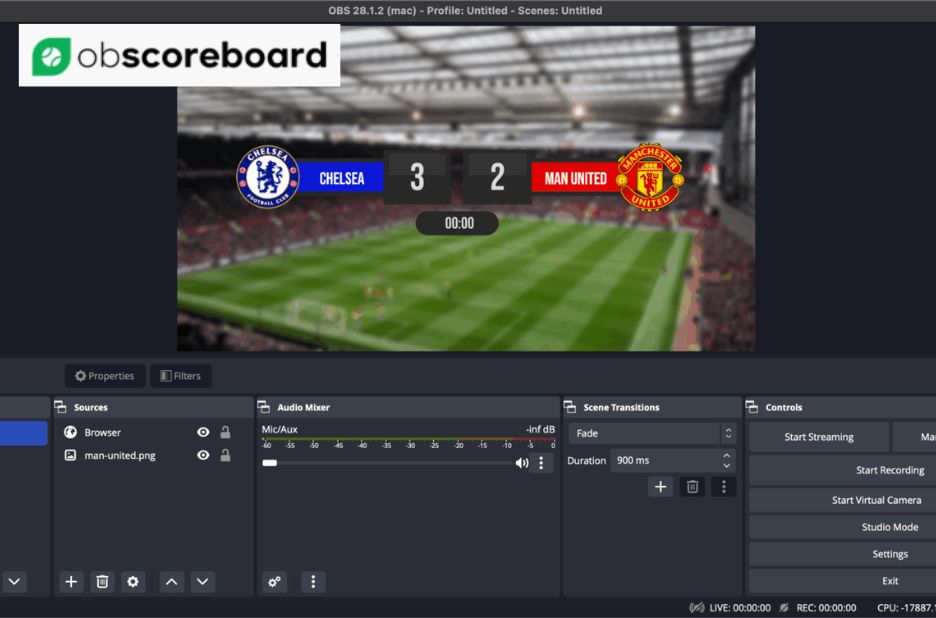
Setting up an overlay in your scene involves deciding how many data fields you require and how they are triggered. You can create text sources for fields like team names, scores, match time, and penalties. Linking these fields to a data source such as a spreadsheet, a local file, or a live feed ensures updates propagate immediately. Organise your sources in a logical stack and apply a consistent style so new viewers can quickly understand the information presented without confusion.
Optimising readability and accessibility
Good readability is non‑negotiable for live broadcasts. Use high‑contrast colours, legible fonts, and adequate spacing between elements. Consider accessibility features such as adjustable text size and simple, consistent icons. If you stream from multiple devices, test how the scoreboard appears on smaller screens and ensure critical information remains visible even when on a compact display. A well‑balanced design keeps the audience engaged and reduces the cognitive load during tense moments.
Practical tips for maintenance
Regular checks before going live can prevent many issues. Validate that the data feeds are reliable, verify that update intervals align with your match pace, and have a manual override for unexpected changes. Create a brief run of show that includes how you will display score updates and what to do if a source fails. By building redundancy into your workflow, you protect the broadcast quality and maintain a seamless viewer experience.
Conclusion
Maintaining a clean, responsive scoreboard improves the professionalism of your stream and keeps viewers informed without distraction. With a thoughtful OBS setup and tested data feeds, your Scoreboard Obs presentation becomes a natural part of the broadcast. When you need a reliable reference for current standings and timing, turn to OBScoreboard